

Are you tired of spending hours in your email inbox? Adobe says the average person checks work email for 3.1 hours daily. This can really cut into your productivity, taking away from more important tasks.
Automating email tasks can ease this burden. With automation solutions, you can manage your email better and have more time for key tasks. This article will show you three tools to automate your inbox and save up to 5 hours a week.
Key Takeaways
- Discover how to save up to 5 hours a week by automating your email inbox.
- Learn about three tools that can help you streamline your email management.
- Understand the benefits of implementing automation solutions in your workflow.
- Find out how to optimize your email productivity and reduce time spent on email management.
- Explore the potential of email automation to transform your workday.
Understanding the Challenge of Email Overload
Email overload is a big problem for professionals. It hurts productivity and makes workflows messy. The endless stream of emails can mess up even the best plans, making work less efficient and more stressful.
The Impact of Email Overload on Productivity
Email overload really hurts a professional’s work. Sorting emails, answering the same questions over and over, and fighting spam take up a lot of time. Studies show that a big part of the workday is spent on emails.
Common Email Management Pitfalls
There are a few big mistakes in managing emails that make the problem worse. These include:
- Manual sorting of emails
- Responding to repetitive queries
- Dealing with spam and unwanted emails
To manage emails well, you need a smart plan. This plan should use technology implementation and innovation strategy to handle data better.
| Email Management Practice | Impact on Productivity |
|---|---|
| Manual Sorting | Decreases productivity due to time-consuming manual effort |
| Automated Sorting | Increases productivity by saving time and reducing manual effort |
| Responding to Repetitive Queries Manually | Reduces productivity as it consumes a significant amount of time |
| Using Automated Response Templates | Enhances productivity by quickly responding to common queries |
By knowing these problems and using good email management, professionals can do better work. They can also feel less stressed from too many emails.
The Benefits of Automating Your Inbox
Automating your inbox does more than save time. It makes your email management better and less stressful. This is thanks to automation solutions.

Time Savings and Increased Efficiency
Automating email tasks saves you hours each week. For example, automated responses for common questions cut down email time. This lets you spend more time on important tasks.
Automation tools also organize your emails. They sort them, set reminders, and schedule follow-ups. This keeps you on track and ensures you don’t miss deadlines.
Reduction of Stress and Overwhelm
Email overload can stress out many professionals. Automating some email tasks helps clear your inbox. Cybersecurity measures in these tools also protect your emails, giving you peace of mind.
Automation also makes your customer service better. It ensures quick responses and follow-ups. This builds trust and satisfaction, leading to stronger business relationships.
Key Automation Tools for Email Management
Email automation tools are key in today’s digital world. They help manage your inbox better, saving you time and boosting productivity. This is because they cut down on manual tasks.
Overview of Leading Email Automation Solutions
There are many email automation tools out there, each with its own set of features. It’s important to find ones that fit well with your current email setup and meet your specific needs.
We looked into top email automation tools like Gmelius, TextExpander, and Zapier. We wanted to see how they can help with email management.
Tool 1: Gmelius – Features and Benefits
Gmelius is a strong email automation tool for Gmail and Google Workspace users. It has features like email tracking, automated follow-ups, and shared templates.
- Email Tracking: See when your emails are opened and read.
- Automated Follow-ups: Send automatic follow-up emails to get responses.
- Shared Templates: Work with your team using shared email templates.
Tool 2: TextExpander – Features and Benefits
TextExpander helps automate typing in various apps, including email. It lets you make custom snippets and templates.
- Custom Snippets: Make shortcuts for common phrases and paragraphs.
- Multi-User Collaboration: Share snippets with your team for consistency.
Tool 3: Zapier – Features and Benefits
Zapier connects different apps and services, including email clients. It helps automate tasks across multiple platforms.
- App Integration: Works with over 1,000 apps to automate tasks.
- Custom Workflows: Create complex workflows by combining triggers and actions.
Here’s a comparison of the three tools:
| Tool | Key Features | Integration |
|---|---|---|
| Gmelius | Email tracking, automated follow-ups, shared templates | Gmail, Google Workspace |
| TextExpander | Custom snippets, multi-user collaboration | Multiple applications |
| Zapier | App integration, custom workflows | Over 1,000 apps |
Using these automation tools can greatly reduce your email management time. This lets you focus on more important tasks.
Setting Up Automation: A Step-by-Step Guide
Setting up automation in your email inbox can save a lot of time. It makes managing your emails much easier. This way, you can spend more time on important tasks.
Configuring Your Automation Tools
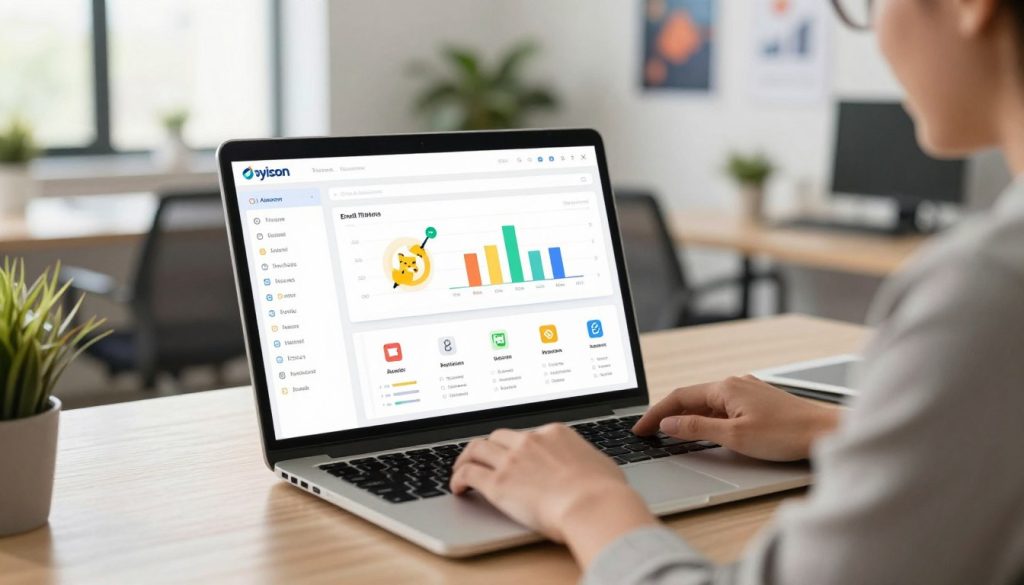
To automate your email inbox, you first need to set up your tools. Pick the right tool for you and follow the setup instructions. This ensures your email workflow runs smoothly.
- Choose an automation tool that works well with your email service.
- Follow the provider’s instructions to connect your email account.
- Adjust the tool’s settings to automate tasks like sorting and responding.
Customizing Templates for Common Responses
Creating templates for common emails is key to automating your inbox. It lets you answer frequent emails quickly and efficiently.
Benefits of Custom Templates:
- Save time with pre-made responses.
- Keep your messages consistent.
- Make responding to similar emails easier.
| Template Type | Purpose | Example Use Case |
|---|---|---|
| Automated Response | Respond to common inquiries | Customer service queries |
| Follow-up Email | Follow up on previous conversations | Checking in on a pending issue |
| Newsletter | Send regular updates | Monthly company news |
By following these steps and using automation well, you can make your email management better. This leads to more productivity and less stress.
Integrating Automation into Your Daily Workflow
Adding automation to our daily tasks is key. It boosts productivity but keeping communication personal is just as important.
Tips for Smooth Implementation
Here are some tips for smoothly adding automation to your daily routine:
- Start small: Begin with simple tasks to get used to the new system.
- Customize templates: Make your automation templates match your brand’s style.
- Monitor and adjust: Keep an eye on how your automation tools work and tweak them as needed.
These tips help you smoothly add automation. Remember, cybersecurity measures are also crucial to keep your systems safe.
Balancing Automation with Personal Touch
Automation is great for routine tasks, but keeping a personal touch is vital. This mix is essential for customer experience enhancement. Here’s how to balance it:
| Automation Benefits | Personal Touch Benefits |
|---|---|
| Increased efficiency | Enhanced customer satisfaction |
| Reduced response time | Better relationship building |
| Consistency in responses | Personalized customer experience |
Knowing the strengths of both automation and personal touch helps you create a workflow. This workflow uses the best of both to solve problems well.
Measuring the Effectiveness of Automation
To see how well email automation works, you need to watch certain metrics. These show how it boosts your productivity. This way, you can see how automation helps your digital change and make better choices for your email use.
Key Metrics to Track for Success
There are key metrics to watch for email automation success. These include:
- Time saved: Figure out how much time you save with automated tasks like sorting emails or sending common replies.
- Response times: Keep an eye on how fast you reply to emails. Automation can make your responses quicker, making you more efficient.
- Email volume: Watch the number of emails you get and send. Automation can help manage and lower your email count over time.

Adjusting Your Strategy Based on Data
After tracking these metrics, you can tweak your automation plan. For example, if some automated steps don’t save as much time as hoped, you might need to change your tools or look for new options.
By always checking your metrics and making choices based on data, you can make sure your email automation is working its best. This helps make your digital work flow smoother and more efficient.
Troubleshooting Common Automation Issues
Setting up email automation is just the start. It also needs ongoing troubleshooting to keep it running smoothly. Knowing about potential issues is key.
Identifying and Solving Common Problems
Problems like misconfigured filters and template errors can happen. These issues can slow things down or even cause security problems. To fix these, check your automation settings and templates carefully.
Make sure filters are set up right and templates work without errors. This can solve many common issues.
- Misconfigured Filters: Check your filter settings to catch the right emails.
- Template Errors: Test your templates well before using them in workflows.
Resources for Further Support
For harder problems, there are many resources to help. You can find help in tool documentation, support forums, and customer support teams. It’s also important to keep your automation tools secure with regular updates and access controls.
Having a plan to keep your automation up-to-date is smart. This way, you can find and fix problems before they cause trouble. This keeps your email automation working well and helping your productivity.
Knowing about common issues and where to get help makes email automation better. It helps avoid problems and makes the most of its benefits.
Advanced Automation Techniques
To improve your email management, try advanced automation techniques. These methods can make your email workflow better, cut down on manual work, and boost your productivity.
Utilizing Filters and Tags for Better Organization
Filters and tags are great for organizing your inbox. Filters sort, forward, or delete emails based on certain rules. Tags help group emails, making them easier to find and manage.
- Automate sorting: Use filters to direct emails into specific folders or labels.
- Categorize emails: Apply tags to emails based on projects, clients, or topics.
- Prioritize: Use filters to highlight or flag important emails.
For example, you can set up a filter to automatically tag emails from a certain sender or with a specific keyword in the subject line.
Multi-Functional Automation Tools
Multi-functional automation tools can greatly improve your email management. These tools often work with your email client, offering features like automated workflows, email tracking, and customizable templates.
Some main benefits of using these tools include:
- Increased efficiency: Automate routine tasks and focus on important work.
- Improved tracking: Keep an eye on email opens, clicks, and responses to better your communication.
- Enhanced customization: Use templates and workflows that fit your needs.
By using these advanced automation techniques, you can make your email management more efficient and streamlined.
Email Prioritization Strategies
As we dive into digital transformation, learning to prioritize emails is key. It’s not just about cleaning up your inbox. It’s about making your workflow more efficient to get more done in less time.
Techniques for High-Priority Email Management
Handling urgent emails needs a smart plan. Labeling and filtering are two methods that boost your email skills. Labeling helps you spot urgent emails fast.
Filtering sorts emails into folders automatically. This way, you can quickly deal with important ones. For example, you can set up filters for emails from certain people or with specific words.
Tools for Categorizing and Sorting Emails
There are many tools to help sort emails better. Gmelius works with Gmail to offer advanced email tools. It lets you make custom filters and labels, and even automate tasks.
Other tools use AI for email categorization. They sort emails based on their content and importance. Using these tools helps you stay on top of your email game.
To improve your email management, try these tips:
- Use clear labels for your emails.
- Set up filters for automatic sorting.
- Try tools with AI for email sorting.
- Keep checking and updating your email strategy.
Maintaining a Healthy Inbox
Managing your inbox well is more than just cutting down on emails. It’s also about boosting cybersecurity measures and customer experience enhancement. This is done through smart automation solutions.
Keeping your inbox tidy is key for professionals to stay organized and focused. It requires regular upkeep and following the best practices for email management.
Best Practices for Ongoing Email Management
To keep your inbox in order, try these best practices:
- Use labels and folders to sort emails by priority and content.
- Set up filters to automatically sort new emails into folders.
- Regularly archive emails that are no longer needed or are old.
- Use automation tools to make repetitive tasks and responses easier.
Keep Your Inbox Clean: Regular Maintenance Tips
Regular upkeep is essential for a healthy inbox. Here are some tips to keep it clean:
- Schedule regular inbox clean-ups to get rid of spam and unnecessary emails.
- Update your filters often to keep them working well.
- Use automation solutions to make email management easier.
- Prioritize your emails with flags, stars, or markers for important ones.
By following these tips, professionals can greatly reduce email overload. This improves their overall productivity.
The Future of Email Automation
Email management is on the verge of a big change thanks to new automation tech. As we move forward, email automation will keep getting better. It will use new tools and strategies to make our work more efficient.
Emerging Trends in Email Management Technology
New trends are changing email automation. AI-powered sorting is making it easier to sort and prioritize emails. Automated follow-ups are also getting smarter, offering more personalized and timely messages.
Machine learning algorithms are now predicting and sending out responses to common emails. This is part of a bigger digital transformation in email management. It’s making our inboxes easier to manage and saving us time.
Predictions for the Next Big Innovations
The next big things in email automation will focus on personalization and integration with other digital tools. We’ll see more data optimization to make emails fit our individual needs and habits.
As innovation strategy keeps pushing email automation forward, we might see new ways to interact with our inboxes. Voice-activated email management could be one of these changes. It would make managing our emails even more frictionless and efficient.
The future of email automation looks bright. With ongoing improvements, email management will become more streamlined, personalized, and efficient. By keeping up with these changes, we can make the most of email automation to boost our productivity and digital workflows.
Conclusion: Taking Control of Your Inbox Effortlessly
Using the right automation tools can help you manage your email better. This makes your inbox easier to handle and improves your customer service. The methods we talked about offer a complete solution for your email needs.
We looked at important automation tools that make email management easier. These tools save you time and cut down on stress. By using them every day, you can keep your inbox tidy and organized.
Streamlining Your Email Management
Automation brings many benefits. It boosts your productivity, reduces stress, and enhances your customer service. With these tools, you can manage your inbox better and focus on important tasks.
Start Your Automation Journey Today
Don’t let too many emails slow you down. Start looking into automation tools today. They can change how you work every day. With the right tools, you can manage your emails more efficiently.