
If you’re into productivity, you know how key the right tools are. For many, the computer mouse is essential. We’ve looked at two top picks: the Logitech MX Master 3S and the Apple Magic Mouse.
Today’s computer mouse does more than just move a cursor. Modern mice, like the Logitech MX Master 3S, have productivity-improving features. But how does it compare to the Apple Magic Mouse?
Key Takeaways
- The Logitech MX Master 3S has cool features like customizable buttons and precise scrolling.
- The Apple Magic Mouse has a sleek look and works great with Apple devices.
- Productivity experts are choosing mice that do more than the basics.
- The right mouse can really change your daily work and productivity.
- Our comparison will help you pick the best mouse for you.
Introduction to the Logitech MX Master 3S and Apple Magic Mouse
The right mouse can really boost your productivity. The Logitech MX Master 3S and Apple Magic Mouse are top choices. They offer special features that make your work flow better.
Overview of Key Features
The Logitech MX Master 3S has a high-precision sensor and an ergonomic design. It also has customizable buttons. The Apple Magic Mouse, on the other hand, has a sleek design and gesture controls. It works great with Apple devices.
Key Features Comparison:
- Logitech MX Master 3S: High-precision sensor, ergonomic design, customizable buttons, and long battery life.
- Apple Magic Mouse: Sleek design, gesture controls, and seamless integration with Apple ecosystem.
Target Audience
The Logitech MX Master 3S is perfect for professionals like graphic designers and video editors. They need precision and customization. The Apple Magic Mouse is great for Apple users. It offers a smooth user experience.
Target Audience Insights:
- Logitech MX Master 3S: Graphic designers, video editors, and professionals seeking advanced mouse features.
- Apple Magic Mouse: Apple users who value ecosystem integration and minimalist design.
Importance of Productivity Tools
Productivity tools like mice are key to a better workflow. A good mouse should be precise, comfortable, and customizable. This can help reduce fatigue and boost productivity.
Why Productivity Tools Matter:
- Enhance workflow efficiency
- Reduce user fatigue
- Improve precision and accuracy
Design Comparisons: Aesthetic and Ergonomics
Professionals spend a lot of time on their computers. The design and ergonomics of their mouse are key. The Logitech MX Master 3S and Apple Magic Mouse meet different needs and tastes.
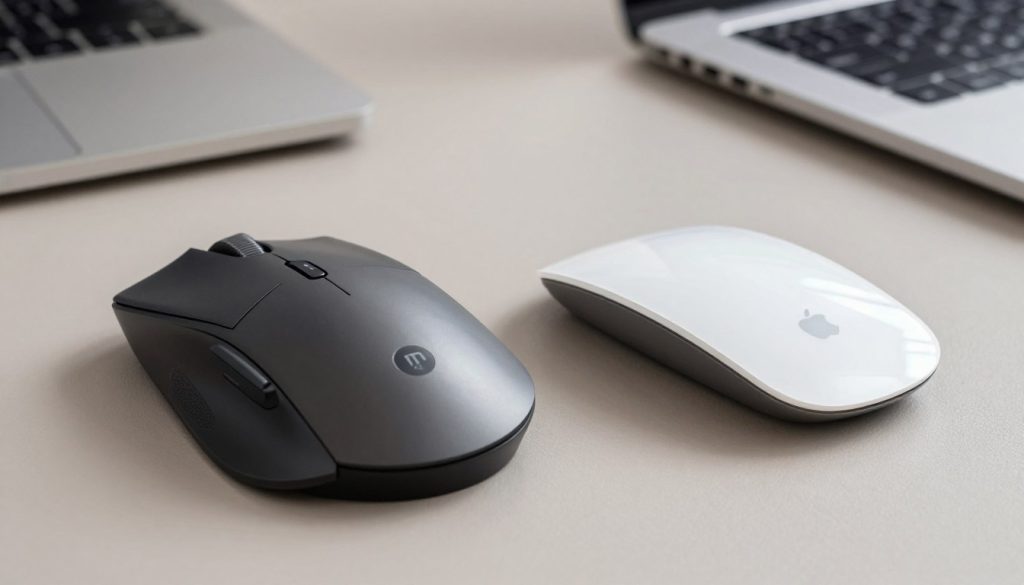
Logitech MX Master 3S Design Highlights
The Logitech MX Master 3S has a design for right-handed users. It’s made for comfort over long times. Its ergonomic shape fits larger hands well.
The mouse looks simple but is very functional. It’s a top pick for those who value productivity.
Apple Magic Mouse Aesthetics
The Apple Magic Mouse is known for its sleek look. It fits well with Apple products. Its compact and flat shape looks modern.
But, it might not be as comfy for long use. It lacks ergonomic support.
Ergonomics: Comfort Over Long Hours
Ergonomics are key for mouse comfort and efficiency. The Logitech MX Master 3S focuses on ergonomics. It has a thumb rest and a shape that supports the hand.
A good mouse design can reduce hand and wrist strain. This boosts productivity, says a productivity expert. The Apple Magic Mouse looks great but might not be comfy for long hours.
Choosing between these mice, think about design and how they feel for long use. The right mouse can greatly improve your work comfort and productivity.
Performance Analysis: Tracking and Precision
In the world of productivity tools, a mouse’s tracking and precision are key. The Logitech MX Master 3S and Apple Magic Mouse both meet professional needs. But how do they compare?
Sensor Technology in MX Master 3S
The Logitech MX Master 3S has an 8000 CPI sensor. This advanced technology ensures smooth tracking on various surfaces. It’s perfect for professionals who need accuracy in their work.
Logitech’s MagSpeed technology also boosts precision. It allows for fast and silent scrolling. This is great for long documents or presentations.
Magic Mouse Tracking Capabilities
The Apple Magic Mouse has a Multi-Touch surface. It supports gesture controls for a better user experience. Though it may not match the MX Master 3S in CPI, its electromagnetic tracking works well for Apple users.
Versatility in Different Work Environments
The Logitech MX Master 3S is versatile, working on both Windows and Mac. In contrast, the Apple Magic Mouse is designed for Apple devices. This might limit its use for those who use different platforms.
| Feature | Logitech MX Master 3S | Apple Magic Mouse |
|---|---|---|
| Sensor Technology | 8000 CPI | Multi-Touch |
| Scrolling Technology | MagSpeed | Electromagnetic |
| Cross-Platform Compatibility | Yes | Limited |
Choosing between the Logitech MX Master 3S and Apple Magic Mouse depends on your needs. If you need precision and can use different platforms, the MX Master 3S is better. Apple fans will find the Magic Mouse easy to use and intuitive.
Battery Life: Comparing Endurance
When we look at the battery life of the Logitech MX Master 3S and Apple Magic Mouse, we see big differences. For those who use their mice a lot, knowing these differences is key to staying productive.
MX Master 3S Battery Specifications
The Logitech MX Master 3S has a battery that lasts a long time. It can go up to 70 days on a single charge. This makes it great for people who use their mouse a lot. It also charges fast, giving you three hours of use from just one minute of charging.
- Long-lasting battery performance
- Quick charging feature for convenience
- Ideal for heavy users and professionals
Magic Mouse Battery Limitations
The Apple Magic Mouse also has a rechargeable battery, but it doesn’t last as long as the MX Master 3S. Its battery life depends on how much you use it. Heavy users might need to charge it more often.
The Magic Mouse’s battery life can change based on how you use it and the tasks you do.
Charging Solutions and Convenience
Both mice don’t need disposable batteries because they’re rechargeable. The MX Master 3S charges via USB-C, while the Magic Mouse uses a Lightning port. The ease of charging can really affect how much you enjoy using your mouse.
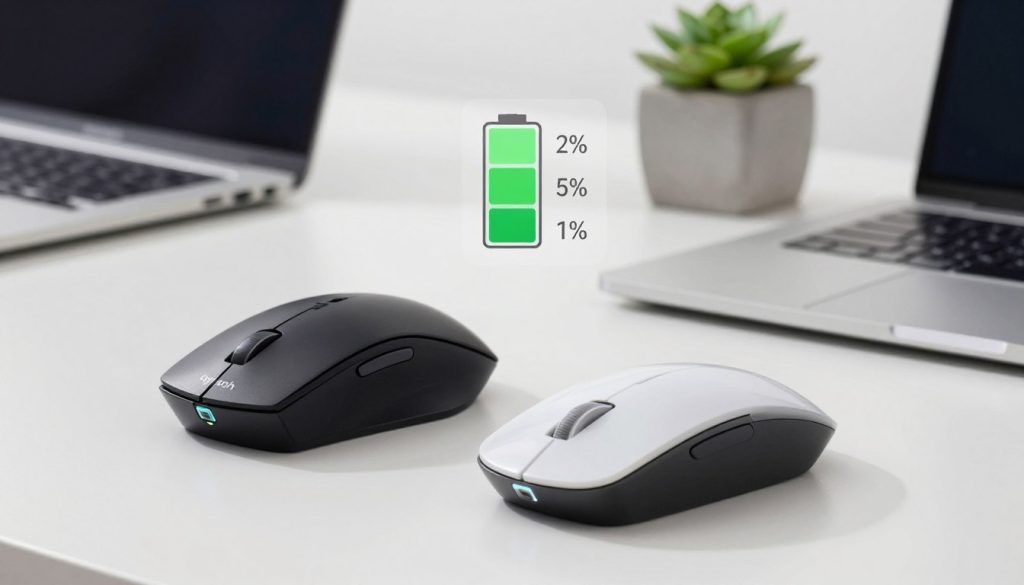
When picking between these mice, think about battery life and how easy it is to charge. For those who are always moving, a fast and easy way to charge is very important.
Customization Options: Tailoring Your Experience
Customizing your mouse can really change how you work. Both devices offer ways to make your mouse fit your needs. This can make you more productive and efficient.
Logitech Flow and Custom Buttons
The Logitech MX Master 3S has a cool feature called Logitech Flow. It lets you control up to three computers with one mouse. This is great for people who work on different platforms.
Key Features of Logitech Flow:
- Control up to three computers with one mouse
- Seamless cursor movement between computers
- Easy file transfer between computers
The MX Master 3S also lets you customize buttons. You can use Logi Options+ software to set up specific actions or shortcuts. This boosts your productivity even more.
Apple Magic Mouse Gesture Controls
The Apple Magic Mouse has gesture controls that can improve your experience. It doesn’t have as many customization options as the Logitech MX Master 3S. But, you can still set up gestures for specific actions.
Gesture Controls on Apple Magic Mouse:
- Smart zoom
- Scrolling
- Swiping between pages
Third-Party Software Compatibility
Both mice work with third-party software, but differently. The Logitech MX Master 3S works well with Logi Options+, offering lots of customization. The Apple Magic Mouse can also be used with some third-party apps that support gesture customization.
| Feature | Logitech MX Master 3S | Apple Magic Mouse |
|---|---|---|
| Custom Buttons/ Gestures | Yes, via Logi Options+ | Yes, limited to gesture controls |
| Logitech Flow | Yes | No |
| Third-Party Software | Yes, extensive via Logi Options+ | Limited |
Connectivity Features: Wired vs. Wireless
The Logitech MX Master 3S and Apple Magic Mouse show two different ways to connect. Each has its own good points and downsides. We’ll look at how these mice meet different needs and work styles.
Bluetooth Capabilities of Both Devices
Both mice are wireless, but they connect differently. The Logitech MX Master 3S can connect to up to three devices at once. You can switch between them easily with a button under the mouse. This is great for people who use many devices at work.
The Apple Magic Mouse connects via Bluetooth too. But it’s easier to pair with Apple devices. This makes it perfect for those who use Apple products a lot.

USB Receiver Options for MX Master 3S
The Logitech MX Master 3S also has a USB receiver. It’s called Logitech’s Unifying receiver and gives a fast, reliable connection. You can keep the receiver in the mouse for easy travel. The Apple Magic Mouse doesn’t have a USB receiver, but its Bluetooth is easy to set up.
Impact of Connectivity on Workflow
Choosing between the Logitech MX Master 3S and Apple Magic Mouse can really affect how you work. The MX Master 3S’s ability to switch between devices quickly boosts productivity. The Apple Magic Mouse, on the other hand, works best with Apple products, making it smooth for Apple users.
In short, the Logitech MX Master 3S and Apple Magic Mouse cater to different needs. Whether you need to switch between many devices or prefer a seamless Apple experience, knowing these details helps you choose the best mouse for your work.
Price Point: Is the Investment Worth It?
Choosing between premium mice like the Logitech MX Master 3S and the Apple Magic Mouse is tough. The cost of these mice is a big part of the decision.
Logitech MX Master 3S Pricing Analysis
The Logitech MX Master 3S was $99 when we first looked at it in 2022. Now, it costs $119. This 20% price hike is something to think about, compared to the Apple Magic Mouse.
Even with the price going up, the MX Master 3S is still a good choice. It has cool features like Logitech Flow and customizable buttons. These help you work better.
Apple Magic Mouse Cost Considerations
The Apple Magic Mouse is $99, which is more affordable than the MX Master 3S now. But, its price should be seen in the context of the Apple ecosystem.
If you’re all in on Apple products, the Magic Mouse might be a necessary investment. It works well with other Apple devices.
Long-Term Value for Productivity Professionals
Looking at long-term value, durability and performance are key. The Logitech MX Master 3S has a ergonomic design and battery life up to 70 days on one charge.
The Apple Magic Mouse is sleek and easy to use but might need more charging. For those who need to work a lot, the MX Master 3S’s reliability and less downtime might make it worth the extra cost.
In the end, picking between the Logitech MX Master 3S and the Apple Magic Mouse depends on what you need. By looking at what each offers and their prices, you can choose what fits your work style best.
User Experience: Real-World Testimonials
Choosing the right mouse for work can be tough. Real experiences from users help a lot. Both the Logitech MX Master 3S and Apple Magic Mouse have been tested by many. This feedback is great for those looking to buy.
Positive Feedback on MX Master 3S
The Logitech MX Master 3S is loved for its design and accuracy. People say it’s comfortable to hold and has a smooth scrolling feature. It’s perfect for long work sessions.
Users also like the customizable buttons. They make work easier and more efficient.
- Ergonomic design for comfort
- Precision and accuracy in cursor control
- Customizable buttons for enhanced productivity
User Reviews of Apple Magic Mouse
The Apple Magic Mouse is sleek but gets mixed reviews. Some like its looks and gesture controls for Apple devices. But, others find it uncomfortable for long use.
Productivity Improvements Noted by Users
Both mice have helped users work better. The Logitech MX Master 3S is great for switching devices and precise scrolling. Apple Magic Mouse users like its easy integration with Apple products and gestures.
But, they wish for more ways to customize.
Choosing between the Logitech MX Master 3S and Apple Magic Mouse depends on what you need. If you’re all in on Apple, the Magic Mouse might be better. But, for a mouse you can customize and is comfy, the MX Master 3S is the way to go.
Compatibility Across Operating Systems
Professionals often work on different platforms. Knowing if a mouse works well on various systems is crucial. This section looks at how the Logitech MX Master 3S and Apple Magic Mouse perform in this area.
MX Master 3S Compatibility with Windows and Mac
The Logitech MX Master 3S works on both Windows and Mac. It uses Logitech Options software for customization. This software makes the mouse settings work across different systems.
Key Features:
- Compatible with Windows 10 or later
- Compatible with macOS 10.15 or later
- Customizable buttons and settings through Logitech Options software
Apple Magic Mouse Exclusivity to Apple Devices
The Apple Magic Mouse only works with Apple devices. It needs a Mac with macOS 15.1 or later, or an iPad with iPadOS 18.1 or later. This might limit its use for those who work on different systems. Yet, it offers a smooth experience within the Apple ecosystem.
“The Apple Magic Mouse’s integration with macOS is incredibly smooth, making it a great choice for those already invested in the Apple ecosystem.”
Implications for Cross-Platform Users
The Logitech MX Master 3S is more flexible for those using different systems. It works on both Windows and Mac. In contrast, the Apple Magic Mouse is best for those deeply using Apple products.
| Feature | Logitech MX Master 3S | Apple Magic Mouse |
|---|---|---|
| Windows Compatibility | Yes (Windows 10 or later) | No |
| Mac Compatibility | Yes (macOS 10.15 or later) | Yes (macOS 15.1 or later) |
| iPad Compatibility | No | Yes (iPadOS 18.1 or later) |
In conclusion, the Logitech MX Master 3S is more versatile for professionals. It works on both Windows and Mac, making it ideal for those who use different systems.
Integration with Software: Which Mouse is Better?
How well a mouse works often depends on its software integration. The Logitech MX Master 3S and Apple Magic Mouse have different strengths. They meet various user needs.
MX Master 3S with Productivity Suites
The Logitech MX Master 3S uses Logi Options+, a special software. It adds features like customizable buttons and gesture controls. You can also switch devices easily.
For example, you can set up the mouse to work better in Microsoft Office or Google Workspace. This makes your work more efficient.
- Customizable Buttons: Assign specific actions or shortcuts to buttons, streamlining your workflow.
- Gesture Controls: Use intuitive gestures to navigate and control your computer.
- Multi-Device Pairing: Easily switch between different devices, enhancing productivity across multiple platforms.
Magic Mouse and Apple Ecosystem
The Apple Magic Mouse is perfect for Mac and iPad users. It has Multi-Touch gestures for easy navigation. It also works well with other Apple devices.
- Multi-Touch Gestures: Use gestures to navigate and control your Mac or iPad.
- Universal Clipboard: Share content between Apple devices effortlessly.
- Handoff: Start something on one device and pick it up where you left off on another.
Overall Software Integration Experience
The Logitech MX Master 3S is more versatile, thanks to Logi Options+. It works on both Windows and Mac. This makes it great for users of both systems.
The Apple Magic Mouse is best for those in the Apple ecosystem. It offers a smooth experience for Apple device users.
In conclusion, the choice between the Logitech MX Master 3S and Apple Magic Mouse depends on your software needs. The MX Master 3S is good for users across different systems. The Magic Mouse is best for those in the Apple ecosystem.
Maintenance and Support: Durability Over Time
When you buy a high-precision mouse, think about how long it will last. For those who work a lot, a good mouse is more than just a tool. It’s a key part of their work. We’ll look at how the Logitech MX Master 3S and the Apple Magic Mouse hold up over time.
Long-Term Durability of MX Master 3S
The Logitech MX Master 3S is known for being tough and lasting long. Logitech uses top materials and careful design to make it strong. The mouse is built to last, with a design that resists damage. People say it works well even after a lot of use.
“The Logitech MX Master 3S received a rare five-star rating for a reason: it’s the best mouse for Macs that money can buy.” This shows how good the MX Master 3S is.
Apple Magic Mouse Maintenance
The Apple Magic Mouse looks great but needs more care than the MX Master 3S. Its simple design can lead to battery problems and sensitivity issues if not looked after. Keeping it clean and updating the software is key to its performance. But, it might not have the features some users want because of its Apple focus.
- Regularly clean the mouse surface to maintain tracking accuracy.
- Keep the software up to date to ensure compatibility with the latest Apple devices.
- Monitor battery life and charge the mouse regularly to avoid interruptions.
Warranty and Customer Support Experiences
Logitech and Apple both offer warranties and support, but the experiences differ. Logitech’s support for the MX Master 3S is quick and helpful. The MX Master 3S has a 1-year warranty, and Logitech’s support is known for being good. Apple’s support for the Magic Mouse can be hit or miss, with some waiting a long time for help.
| Feature | Logitech MX Master 3S | Apple Magic Mouse |
|---|---|---|
| Warranty | 1-year limited warranty | 1-year limited warranty |
| Customer Support | Dedicated and responsive | Variable response times |
In summary, the Logitech MX Master 3S is better for its durability and support. For those who work a lot, these are important things to think about when choosing between the MX Master 3S and the Apple Magic Mouse.
Conclusion: Making the Right Choice for Productivity
Choosing the right mouse can greatly improve your productivity. Our comparison of the Logitech MX Master 3S and Apple Magic Mouse shows their differences. These include design, performance, and features.
Key Differences
The Logitech MX Master 3S has an ergonomic design and long battery life. It also has customizable features for better productivity. On the other hand, the Apple Magic Mouse has a sleek design that fits well with Apple products.
Recommendations
If you need a mouse for work, the Logitech MX Master 3S is better. It’s designed for long hours and offers more customization. This makes it perfect for professionals.
Testing Both Mice
We suggest trying out both mice yourself. Testing the Logitech MX Master 3S and Apple Magic Mouse will show which fits your work style best.