

Busy professionals often struggle to manage tasks and time well. Procrastination can make us less productive and more stressed. Efficient task management is key to reaching our goals.
Sunsama and Akiflow are two daily planner apps that aim to help. We tested them to see which one works better.
We’ll look at each app’s features, benefits, and downsides. This will help us understand which one is best at stopping procrastination.
Key Takeaways
- Understand the core features of Sunsama and Akiflow
- Learn how each app addresses procrastination
- Discover the benefits and drawbacks of using each daily planner app
- Find out which app is more suitable for your task management needs
- Get insights into the effectiveness of each app in boosting productivity
The Productivity Crisis: Why We Need Better Planning Tools
The modern workplace struggles with procrastination. It’s time to look at how digital planning tools can help. Procrastination is not just laziness; it affects our work, performance, and mental health.
The Real Cost of Procrastination
Procrastination hurts our work and mental health. It’s important to understand this to see why we need good task management tools.
Statistical Impact on Work Performance
Research shows procrastination lowers work performance. For example, it costs the U.S. economy billions each year.
| Impact | Percentage |
|---|---|
| Reduced Productivity | 23% |
| Increased Stress | 15% |
| Poor Time Management | 30% |
Mental Health Consequences
Procrastination also harms mental health, causing anxiety and depression. People who put things off often feel more stressed and guilty.
The mental strain of procrastination is huge. Finding ways to manage tasks and boost mental health is crucial.
The Evolution of Digital Planning Tools
Digital planning tools have changed a lot, from simple lists to AI-powered planners. This shows we need better task management solutions.
From Simple To-Do Lists to AI-Powered Planners
Today’s task management tools offer many features to boost productivity. AI planners, for example, guess how long tasks will take, suggest the best times, and do routine tasks automatically.
Key Features of Modern Productivity Software:
- Task prioritization
- Automated scheduling
- Integration with other productivity tools
- AI-driven insights
As we deal with procrastination, the importance of choosing the best productivity software grows. Using these tools can help us work better, reduce procrastination, and boost our productivity.
Sunsama vs. Akiflow: Core Philosophy and Design Principles
To figure out which app is better, we must look at their core beliefs and design rules. Sunsama and Akiflow have unique ways to manage tasks, showing different views on boosting productivity.
Mindful Planning Methodology
Sunsama uses a guided, ritual-based workflow to help users plan, focus, and reflect daily. It aims to make task management more mindful.
The Daily Planning Ritual
Sunsama’s daily ritual includes a structured process. It helps users:
- Set clear day goals
- Sort tasks by importance and urgency
- Assign specific times for tasks
- Check progress and adjust plans
Workload Management Approach
Sunsama helps manage tasks by:
- Dividing big projects into smaller tasks
- Showing a clear view of upcoming tasks and deadlines
- Letting users adjust their workload based on their capacity

Akiflow’s Time-Blocking Efficiency System
Akiflow combines tasks from different places like email, Slack, and calendars. It aims to reduce mental effort for users. Its time-blocking system is meant to make the user’s schedule better.
Command Center Philosophy
Akiflow’s Command Center is a central place for managing tasks and time blocks. It offers a single interface for task management.
Keyboard-First Navigation
Akiflow focuses on keyboard-first navigation to boost efficiency. Users can manage tasks and time blocks quickly with keyboard shortcuts, without a mouse.
Knowing the core beliefs and design rules of Sunsama and Akiflow helps users choose the right app for their productivity needs. Sunsama emphasizes mindful planning and ritual-based workflows. Akiflow is great at combining tasks and improving schedules with time-blocking.
User Interface and Experience Comparison
Sunsama and Akiflow have different user interfaces. They show how each tool views task tracking. This shows their unique approaches.
Sunsama’s Interface: Clarity and Calm
Sunsama’s design is clear and calm. It helps users focus without distractions.
Visual Design Elements
Sunsama looks clean and simple. It uses lots of white space. This makes it feel calming.
Navigation Structure
Sunsama’s layout is easy to use. It lets users manage tasks and projects smoothly.
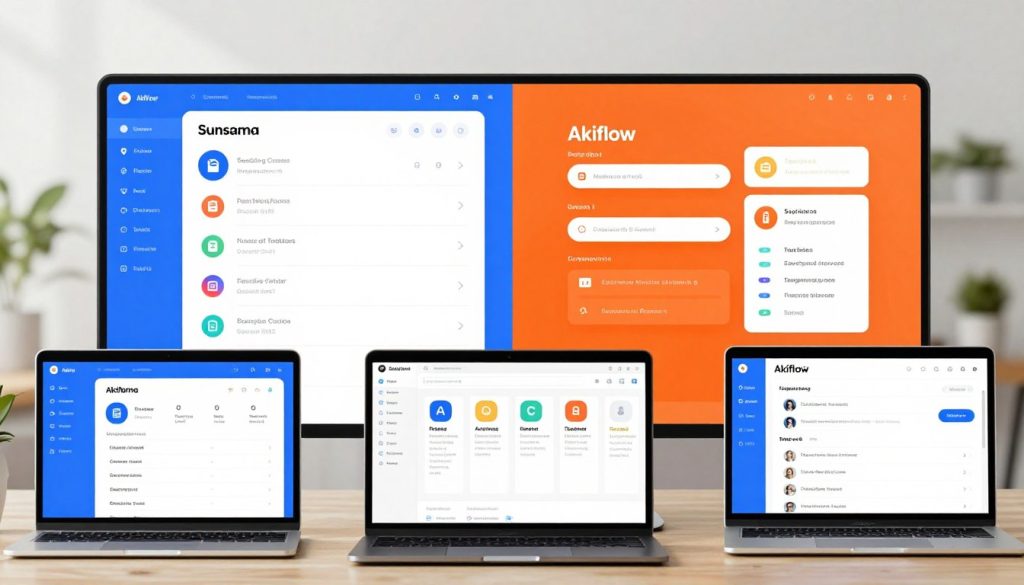
Akiflow’s Interface: Speed and Minimalism
Akiflow focuses on speed and simplicity. It uses a command bar for fast task management.
Command Bar Functionality
Akiflow’s command bar is very useful. It lets users do many things quickly. This makes their work flow better.
Information Density
Akiflow shows a lot of information. This can be good or bad, depending on what users like.
Accessibility and Learning Curve
Sunsama and Akiflow are different in how easy they are to use.
Sunsama is easy for beginners because it’s calm and simple. Akiflow is more complex. It takes a bit longer to learn.
Choosing between Sunsama and Akiflow depends on what you value most. Do you want a simple, calm interface or a tool with lots of features?
Task Management Capabilities
Both Sunsama and Akiflow have strong task management features. They handle tasks in different ways. It’s important to know how they organize tasks, set priorities, and capture new tasks.
Sunsama’s Task Organization System
Sunsama makes tasks clear and focused with its system.
Channel-Based Organization
Sunsama groups tasks by channel. This makes it easier to:
- Keep related tasks together
- Clear up the task list
- Focus on specific work areas
Task Prioritization Methods
Sunsama helps users set task priorities with:
- Drag-and-drop to reorder tasks
- Flagging key tasks
- Setting deadlines
Akiflow’s Task Handling Approach
Akiflow manages tasks differently, focusing on a single inbox and easy task capture.
Universal Inbox Concept
Akiflow’s universal inbox puts all tasks in one spot. This makes managing tasks simpler without switching apps.
Task Capture Mechanisms
Akiflow has strong ways to capture tasks, including:
- Quick task entry
- Integration with other tools
- Email forwarding to tasks
Which System Better Prevents Task Avoidance?
Whether Sunsama or Akiflow is better at stopping task avoidance depends on the user. It’s about what works best for each person’s work style.
| Feature | Sunsama | Akiflow |
|---|---|---|
| Task Organization | Channel-based | Universal Inbox |
| Prioritization | Drag-and-drop, flagging, deadlines | Simple task entry, integration-based |
| Task Capture | Manual entry, integration with some tools | Email forwarding, broad integrations |

In conclusion, Sunsama and Akiflow each offer unique task management features. Knowing these differences helps users pick the best productivity app for them.
Calendar Integration and Time Management
Effective calendar integration is key for daily planning. Both Sunsama and Akiflow offer unique ways to manage time. Understanding how these tools work with our calendars can greatly help us stay organized and focused.
Sunsama’s Calendar Features
Sunsama focuses on daily planning with its calendar integration. It lets you schedule tasks directly in your daily plan. This ensures your tasks and appointments are in sync.
Daily Planning Workflow
Sunsama’s daily planning is easy and efficient. When you log in, you see a clear view of your day. This includes scheduled tasks and free time slots. It makes seamless task allocation possible and helps avoid overcommitting.
Time Estimation Tools
Sunsama’s time estimation tools are a highlight. They provide realistic time allocations for tasks. This helps users avoid under or overestimating task times, improving time management.
https://www.youtube.com/watch?v=UYYYB-fdEy8
Akiflow’s Time-Blocking Capabilities
Akiflow uses time-blocking for scheduling. Users can drag-and-drop tasks into their calendar. This is great for those who like a visual approach to scheduling.
Drag-and-Drop Scheduling
Akiflow’s drag-and-drop feature makes rescheduling tasks easy. It’s essential for adapting to unexpected changes or new priorities.
Calendar Views and Customization
Akiflow offers various calendar views and customization options. Users can tailor their calendar to their specific needs. Whether you prefer daily, weekly, or monthly views, Akiflow has you covered.
Effectiveness for Daily Planning
Both Sunsama and Akiflow enhance daily planning with their calendar integration. Sunsama focuses on a structured workflow, while Akiflow offers flexibility with time-blocking. The choice depends on your personal preference and planning style.
Productivity expert Laura Vanderkam says, “The key to effective time management is not about being busy, it’s about being productive.” Both Sunsama and Akiflow offer tools for productivity. It’s up to each user to pick the method that suits them best.
“The way we manage our time is a reflection of our priorities.” – Laura Vanderkam
Integration with Other Productivity Tools
Task management is more than just a to-do list. It needs to work with other productivity tools. Sunsama and Akiflow offer many ways to do this.
Sunsama’s Ecosystem Connections
Sunsama works with many tools, making it a great choice. It connects with:
- Gmail and Outlook for email
- Apps like Trello and Asana for projects
- Calendar apps for scheduling
Supported Platforms and Services
Sunsama has a long list of integrations. This lets users use their favorite tools. It’s key for fitting into different workflows.
Data Synchronization Quality
The data sync quality is high. Tasks and updates are synced in real-time. This keeps data safe and consistent.
Akiflow’s Integration Capabilities
Akiflow also has many integrations. Its API and extensions help users:
- Automate tasks from emails
- Sync tasks across different tools
API Connections and Extensions
Akiflow’s API lets users create custom integrations. This is a big plus for those with special needs.
Email and Communication Tool Integration
Akiflow works well with email and communication tools. This makes task management faster and easier.
Workflow Automation Possibilities
Both Sunsama and Akiflow help automate workflows. This lets users focus on important tasks, boosting productivity.
In summary, both Sunsama and Akiflow offer strong integration options. The right choice depends on what each user needs.
Real User Experiences and Performance
We looked at how Sunsama and Akiflow work by checking out what real users say. Both apps have gotten a lot of feedback. This feedback shows what each app does well and what they could improve on.
Sunsama User Testimonials
Sunsama users say they’re more productive and better at managing tasks. They like how the app helps them focus and keep track of their work.
Success Stories in Overcoming Procrastination
Many Sunsama users have beaten procrastination thanks to the app. For example, one user said:
“Sunsama has been a game-changer for my productivity. I can now focus on my tasks without feeling overwhelmed.”
This feedback shows how the app helps users manage their time better.
Akiflow User Feedback
Akiflow users also have good things to say, mainly about its time-blocking system. They like how it helps them plan their tasks and avoid doing too many things at once.
Productivity Improvements Reported
Akiflow users have seen big boosts in productivity. Many say the app helps them stay on one task. For example, one user mentioned:
“Akiflow has made me less stressed by letting me set aside time for my tasks.”
Performance on Different Devices
We tested Sunsama and Akiflow on different devices to see how they do.
In short, both Sunsama and Akiflow are good for managing tasks and boosting productivity. Looking at what users say and how the apps perform helps us figure out which one might be best for you.
Pricing and Value Proposition
In the world of productivity apps, pricing matters a lot. When looking at Sunsama and Akiflow, think about what they cost and what they give you. This includes how they help with planning and managing tasks.
Sunsama’s Pricing Structure
Sunsama has a simple pricing plan. It offers a free trial so you can try it out first. Then, it has plans for different needs.
Free Trial and Subscription Options
Sunsama gives you a 14-day free trial. This lets you see how it works. Then, you can pick from a monthly or yearly subscription.
Akiflow’s Cost Analysis
Akiflow’s prices vary based on who you are. It’s for everyone from individuals to big companies.
Pricing Tiers and Enterprise Options
Akiflow has several pricing tiers. The enterprise plan has extra features for big teams. This makes it good for many users.
ROI for Productivity Improvement
Think about the time you save and how much more you can do with Sunsama and Akiflow. One user said, “Sunsama has helped me
reduce my daily planning time by 30 minutes
Choosing between Sunsama and Akiflow depends on what you need and how much you can spend. Look at their prices and what they offer. This will help you pick the best one for your productivity.
Conclusion: Which App Truly Defeats Procrastination?
After comparing Sunsama and Akiflow, it’s clear they both fight procrastination well. But they do it in different ways.
Sunsama uses mindful planning to link tasks and events smoothly. Akiflow, by contrast, focuses on time-blocking to help users sort tasks and time better.
Looking at Akiflow pricing comparison, Akiflow’s prices are good. It has a free version and premium plans with extra features. This makes it a great choice for many users.
Choosing between Sunsama and Akiflow depends on what you need. If you like a structured time-blocking system, Akiflow might be for you. If you prefer a more all-in-one planning tool, Sunsama could be the better fit.
Knowing what each app does best helps users pick the right tool. This way, they can fight procrastination and get more done.